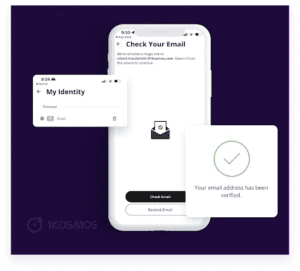
Verify and enroll email through the 1Kosmos app
With our latest mobile app release, we have introduced the ability for users to verify and enroll their email address into their identity wallet. This verified email address can be presented to interested parties as proof of ownership of an email address.
Users can follow a simple 2-step process to verify and automatically enroll their email address.
Step 1: Users must enter their email address.
Step 2: Users must click the “Verify” link sent to their email address.
On the 1Kosmos mobile app Home screen→ Click on the Hamburger button and Email verification comes under “My Identity” page as shown below.
After entering the email, the user needs to click the link they receive.